Variant
Options
Custom product options with conditional logic, price add-ons, and 13+ input types — from color swatches to file uploads.
Notify Me When AvailableThe Problem
3 Options. 100 Variants. That's It.
Shopify's built-in variant system limits you to 3 options and 100 variants per product. For stores selling customizable products — engraving, custom sizing, material choices — you need more option types, conditional logic, and pricing flexibility than Shopify provides out of the box.
Capabilities
Everything You Need
Every screenshot below is the real app.
01 · /app/options
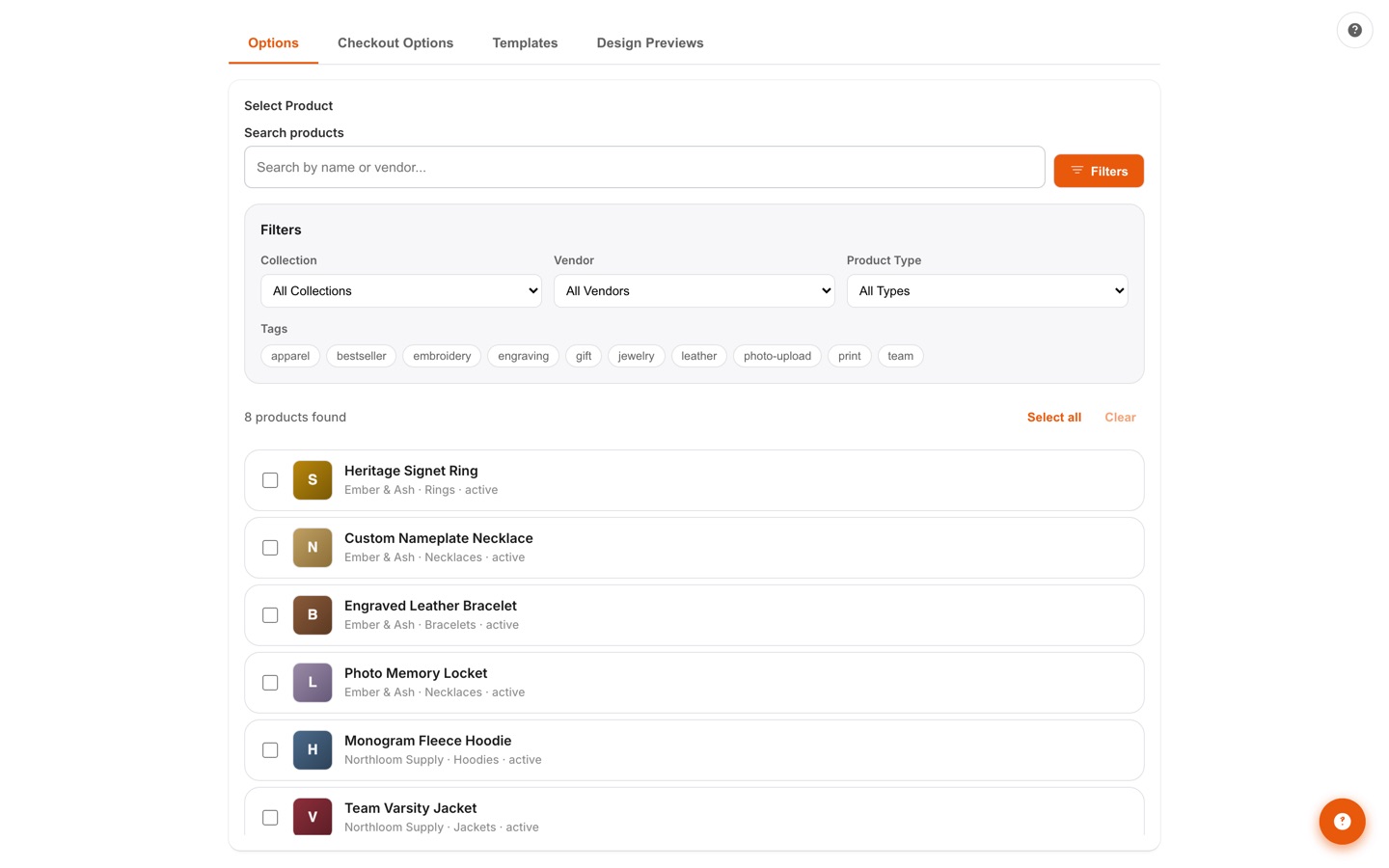
Options Manager — 13 Input Types
Build option sets per product with 13 input types: text field, text area, dropdown, radio list, checkbox, multi-select, color swatch, image swatch, buttons, date picker, number input, file upload, and size chart. Search and filter your catalog by collection, vendor, product type, or tag, then apply options one product at a time or in bulk.
02 · /app/options
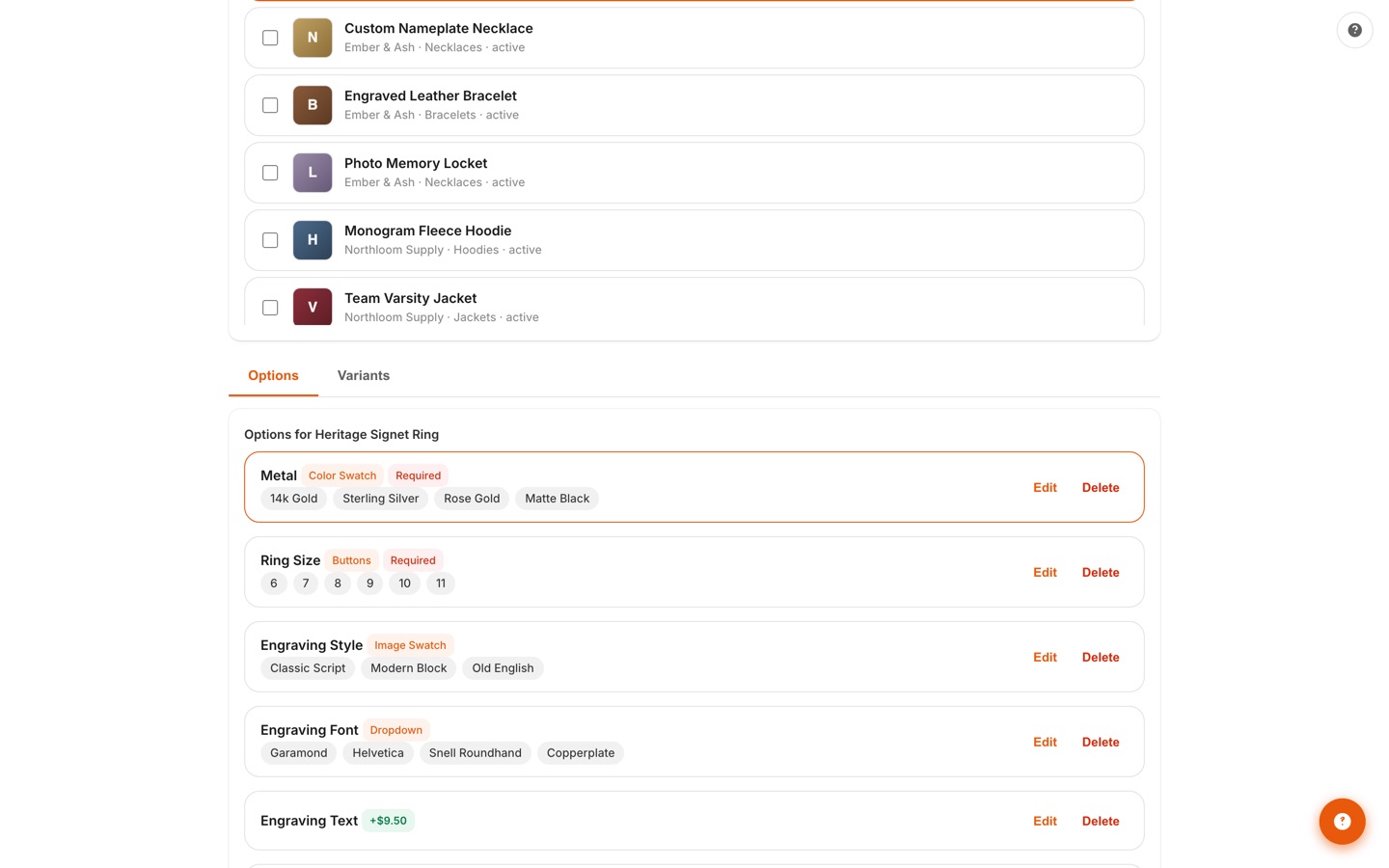
Swatches, Logic & Price Add-Ons
One editor for the whole option set: mark any field required, attach a price add-on like +$9.50 engraving, and wire conditional logic so options show, hide, or become required based on earlier choices. Design presets and reusable templates keep setup fast.
03 · /app/translations
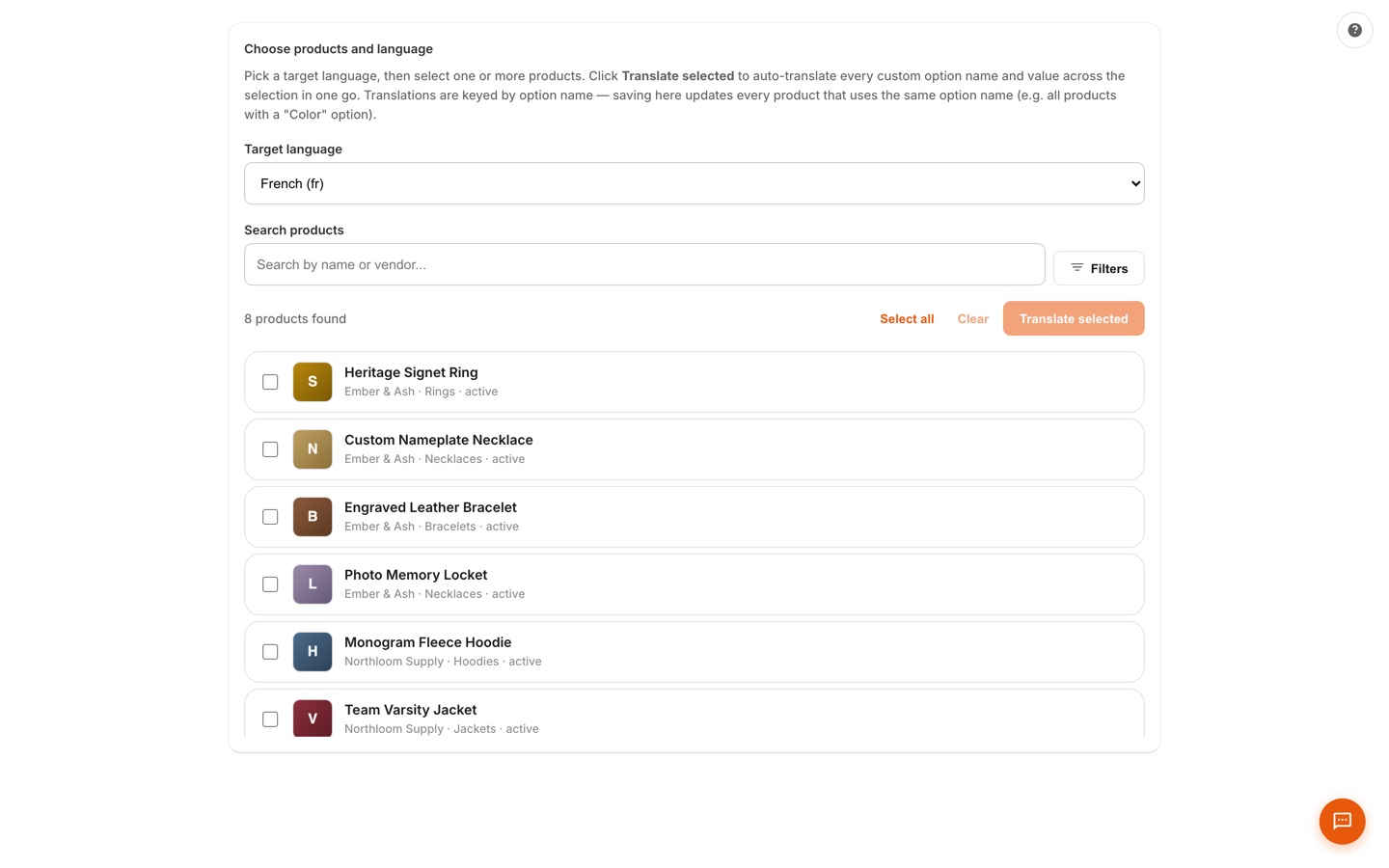
Translations
Translate custom option names and values into every published locale — native Shopify options too. Pick a target language, select products, and auto-translate the whole selection in one go; translations are keyed by option name, so one save updates every product that shares it.
04 · /app/import-export
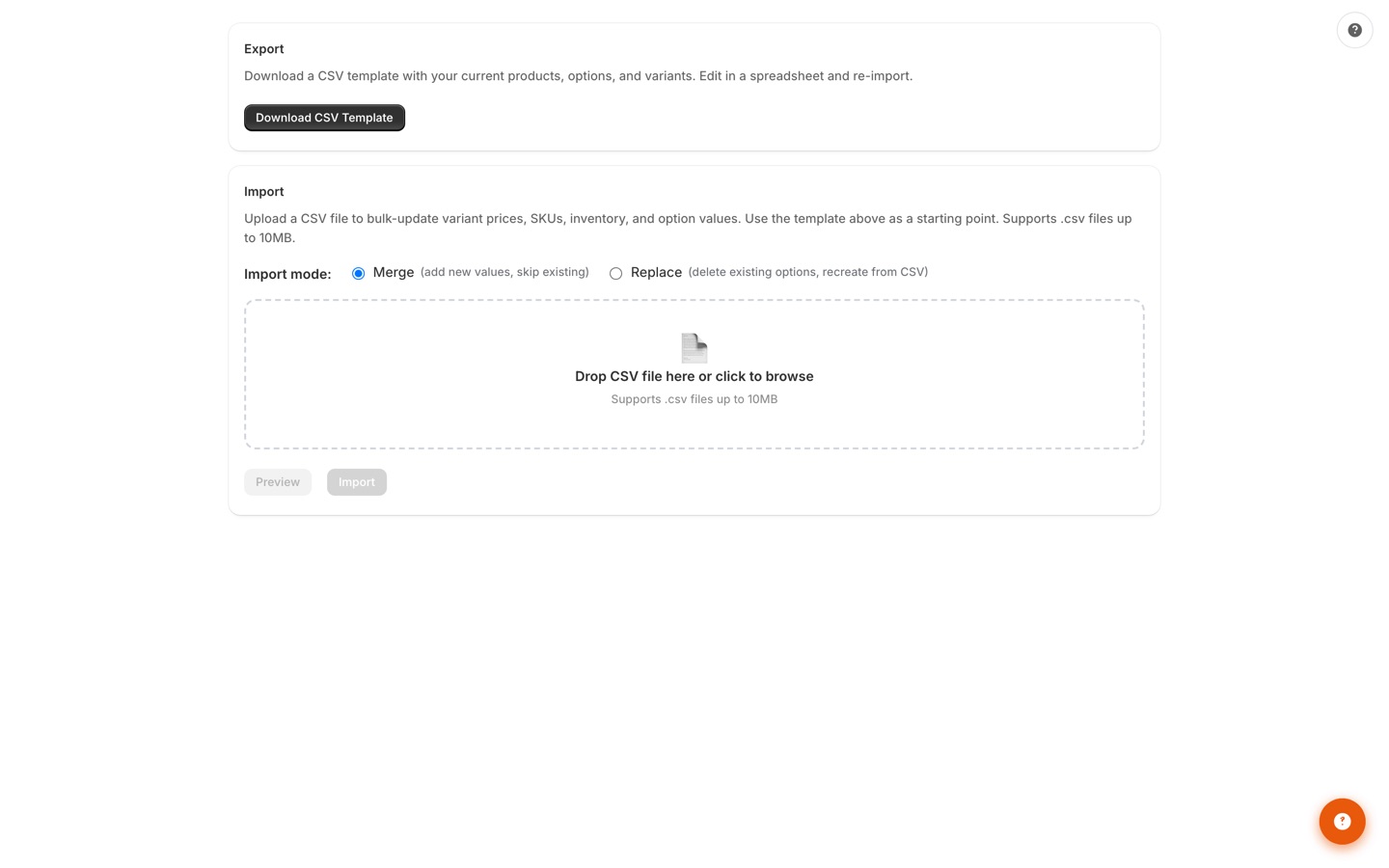
Import & Export
Download a CSV template pre-filled with your current products, options, and variants, edit it in a spreadsheet, and bulk import in merge or replace mode. Export everything as JSON for backup or migration.
05 · Dashboard
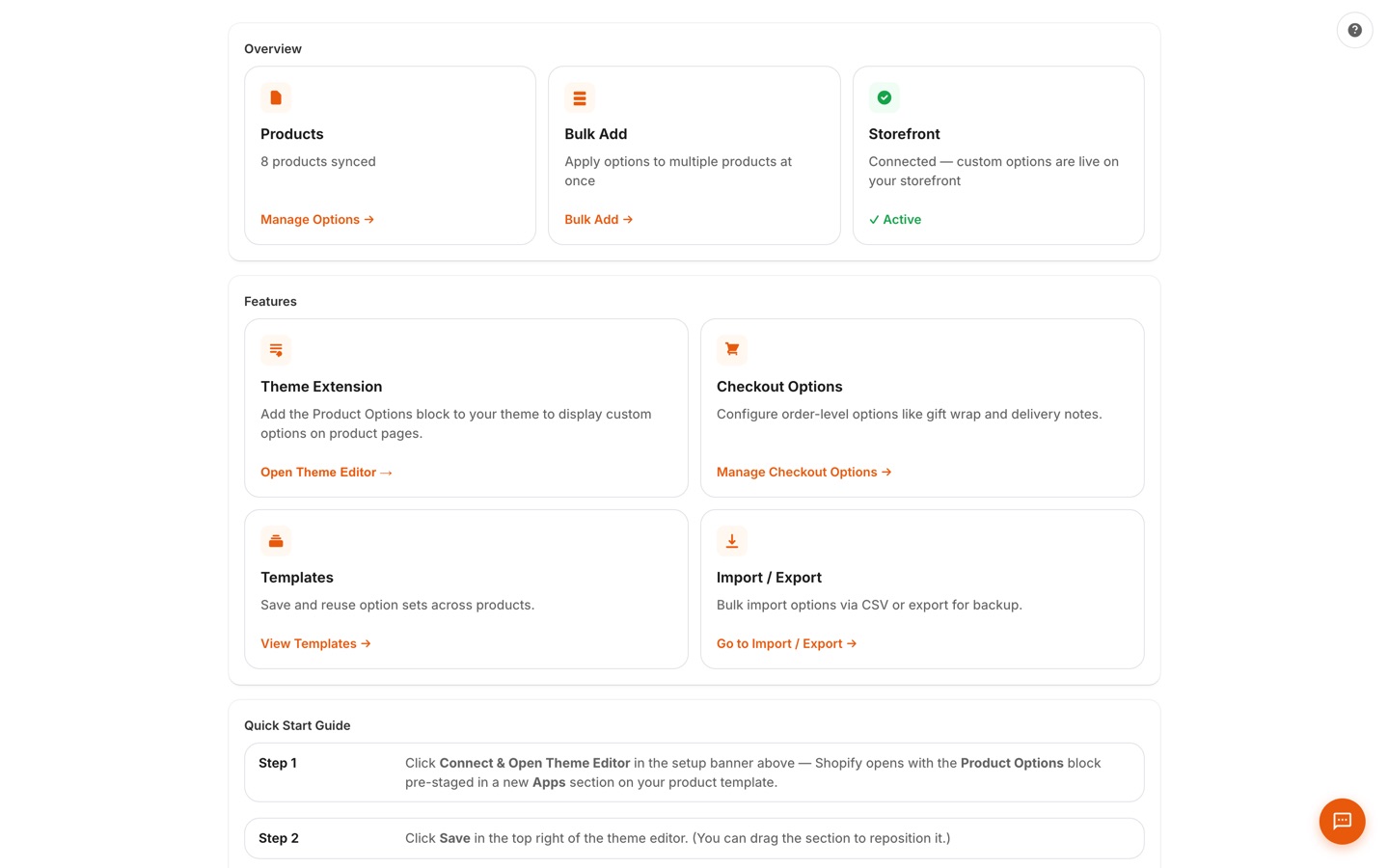
Setup Status Dashboard
See your setup status at a glance: products synced, theme block installed, storefront connection live, plus quick links to bulk add, checkout options, templates, and import/export. A step-by-step quick-start guide takes you from install to live options.
06 · Getting Started
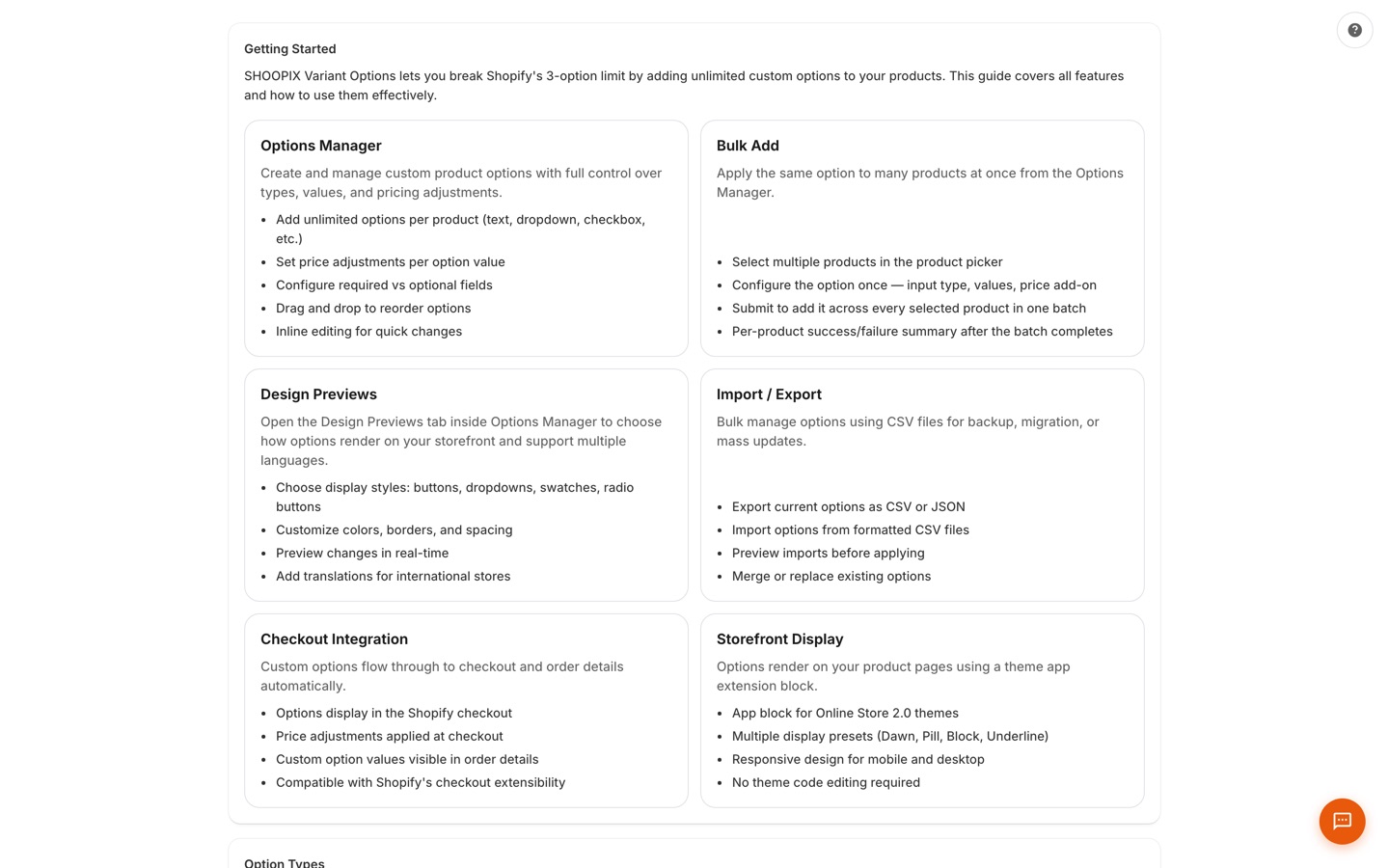
Guided Setup
A built-in getting-started guide covers every feature — Options Manager, bulk add, design previews, import/export, checkout integration, and the storefront theme block — so you're configured in minutes, not days.
Process
How It Works
Create Options
Create an option set with your desired option types.
Configure Rules
Configure conditional logic and pricing rules.
Apply to Products
Apply to products individually or in bulk.
Go Live
Customers see rich, interactive options on your product pages.
Pricing
Simple, Transparent Pricing
Free
- Unlimited option sets & products
- 10 option input types
- 3 design presets & 3 templates
- Storefront theme block
- 2 languages
10 input types • 2 languages
Pro
7-day trial- All 13+ input types
- File upload (20 files × 100MB)
- Conditional logic & price add-ons
- CSV import + JSON export
- AI chat assistant
30 option types • 3 templates
Max
7-day trial- Everything in Pro
- Unlimited languages & templates
- Checkout order options
- Option grouping & size charts
- Priority support
Unlimited languages • Unlimited templates
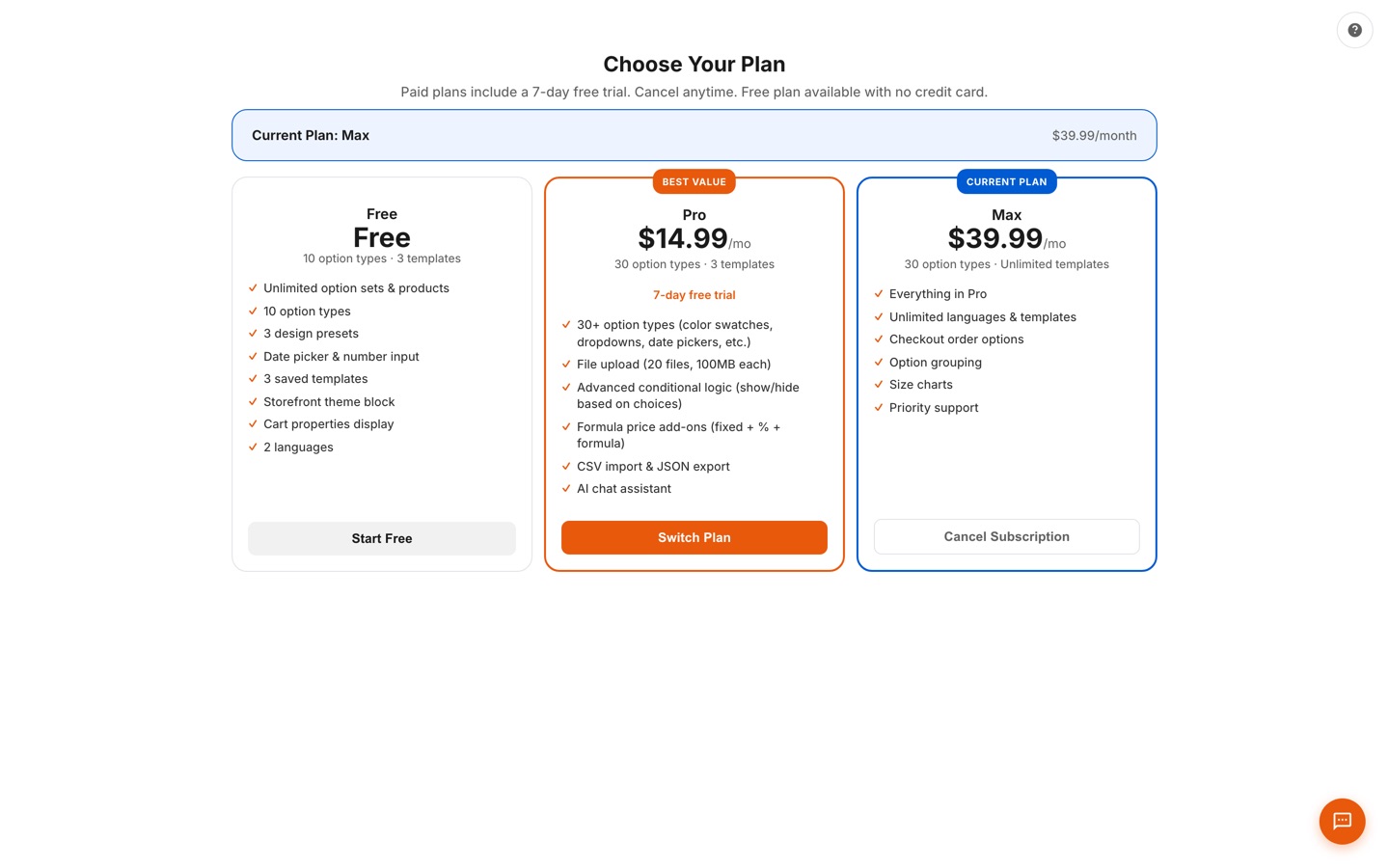
The exact plans inside the app — what you see is what you pay.
Comparison
How We Compare
| Feature | SHOOPIX | Globo ($9.90-$19.90) | OPTIS ($9.99-$49.99) | Avis ($12-$59) |
|---|---|---|---|---|
| Free plan | ✓ | ✓ | ✓ (10 sets) | ✓ |
| Color/image swatches | ✓ | ✓ | ✓ | ✓ |
| Conditional logic | ✓ (Pro) | ✓ (Paid) | ✓ (Paid) | ✓ (Paid) |
| Price add-ons | ✓ (Pro) | ✓ (Paid) | ✓ (Paid) | ✓ (Paid) |
| File upload | ✓ (Pro) | ✓ (Paid) | ✓ (Paid) | ✓ (Paid) |
| Multi-file upload | ✓ (Pro) | ✓ (Paid) | ✓ (Paid) | ✓ (Paid) |
| Part of SHOOPIX suite | ✓ | ✗ | ✗ | ✗ |
| Date/calendar picker | ✓ | ✓ (Paid) | ✓ (Paid) | ✓ |
FAQ
Common Questions
Shopify limits you to 3 options and 100 variants. SHOOPIX Variant Options removes those limits with 13+ input types, conditional logic between fields, and price add-ons — all without modifying your theme code.
Yes. It uses Shopify's app blocks and is compatible with all Online Store 2.0 themes. No code editing required.
Yes. On Pro and Max plans, you can add flat fees, percentage-based charges, or formula pricing to any option.
It lets you show or hide options based on what the customer selects. For example: if they choose "Gift Wrap: Yes," a text field appears for the gift message.
Yes. Create option sets and apply them to products in bulk. Update the set once and changes propagate to all linked products.
Very similar feature set at comparable pricing — paid plans start at $14.99/mo with a 7-day free trial, plus a genuinely useful free plan. SHOOPIX adds the advantage of being part of the SHOOPIX suite — if you're using our other apps, everything works together under one ecosystem.
Get Notified at Launch
Be the first to know when SHOOPIX Variant Options is available. Join the waitlist for early access.