The Problem

Why Most Popups Backfire

Most popup apps fire the instant a page loads, clash with your store's design, and hide usage limits until a surprise overage bill arrives. Shoppers get annoyed, brands look cheap, and email lists stall while costs climb.

Features

What It Does

Every screenshot below is the real app.

01 · /app/campaigns/:id

Live-Preview Campaign Editor

Build popups in Design, Targeting, and Analytics tabs while a live mobile-first preview (with a desktop toggle) shows exactly what shoppers will see as you type. The AI Companion suggests headlines and CTA copy on demand, so you're never staring at a blank field.
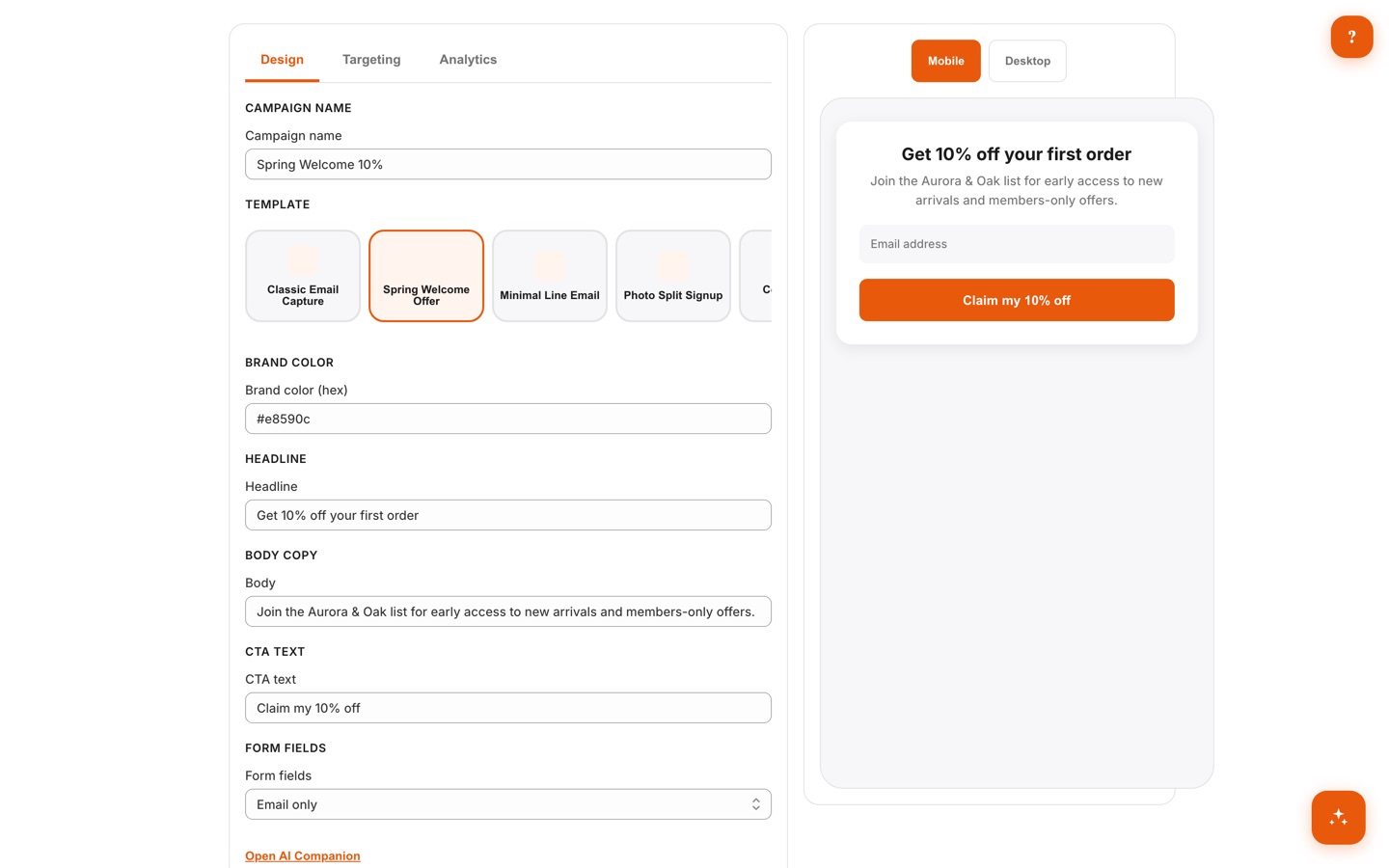
Campaign editor with Design, Targeting, and Analytics tabs, template picker, headline and CTA fields, an AI Companion link, and a live mobile popup preview

02 · /app/campaigns

4 Popup Types, Incl. Spin Wheel

Run email capture, multi-step quizzes, spin wheels, and animated scratch cards side by side, and manage them all from one campaign list. SMS capture works via a phone field, and exit-intent is a display trigger — every type is available on every plan, including Free.
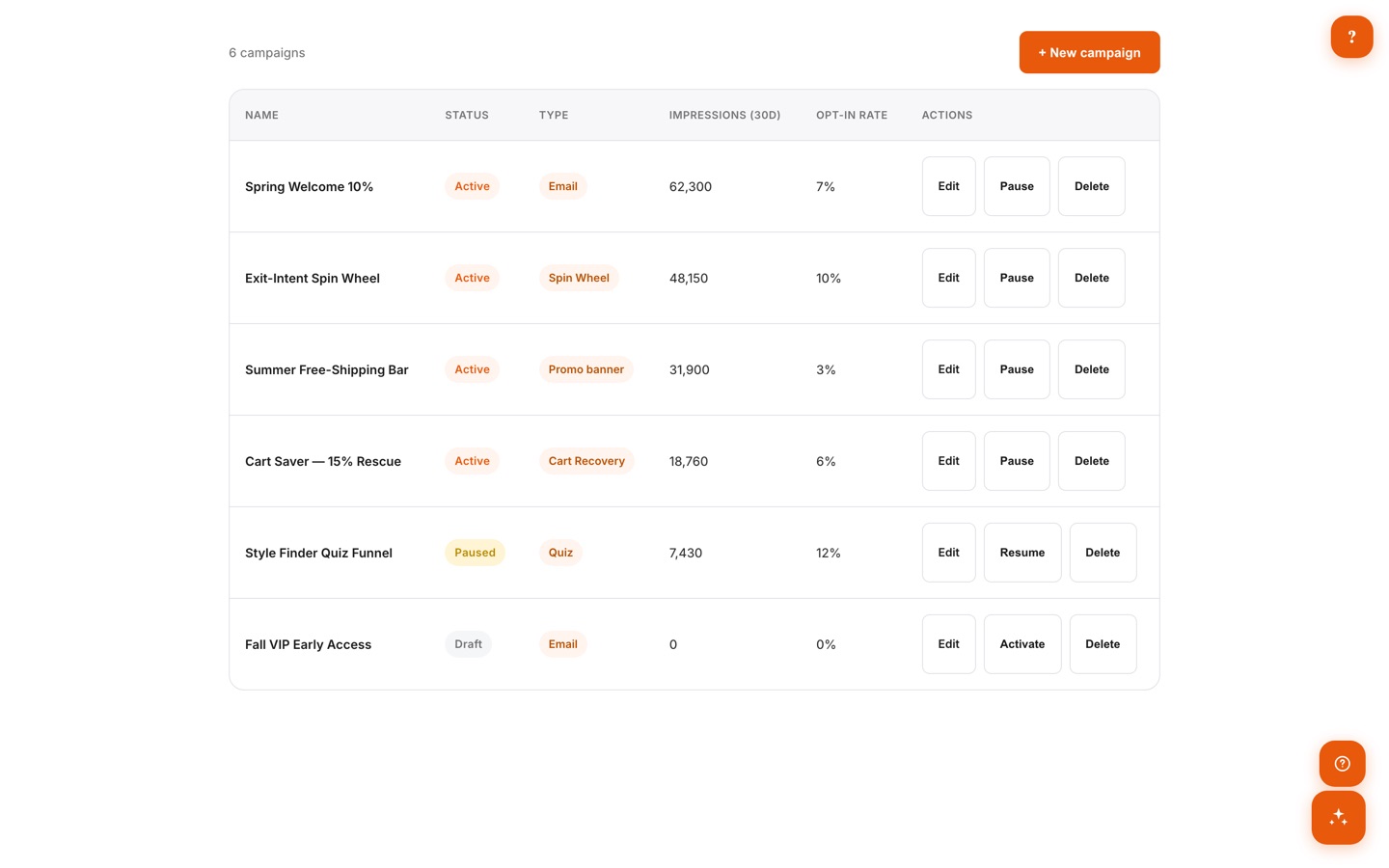
Campaign list showing email, spin wheel, promo banner, cart recovery, and quiz popups with status, impressions, and opt-in rates

03 · /app/dashboard

Transparent Impression Meter

A color-coded meter on the dashboard shows exactly how much of your monthly impression quota is used and when it resets. Hit the cap and display simply pauses until next month — you will never open a surprise overage bill.
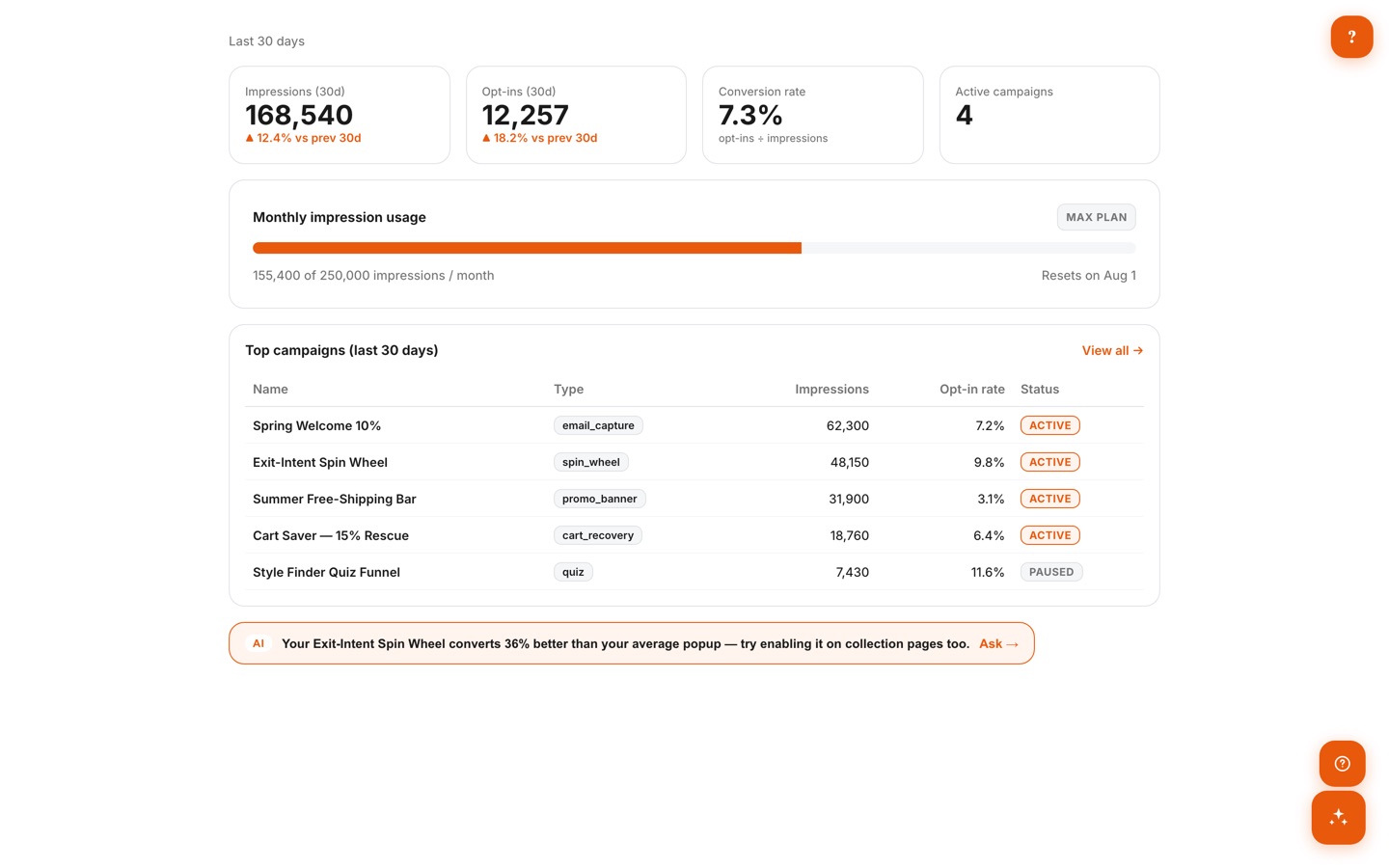
Dashboard with a monthly impression usage meter showing 155,400 of 250,000 impressions, KPI cards, top campaigns, and an AI insight banner

04 · /app/templates

Curated Template Gallery

Start from 25 curated editorial templates, filterable by goal — email capture, cart recovery, promo, or quiz. One click loads a template into the editor, where Brand-Friendly Mode restyles it with your theme's color, font, and logo.
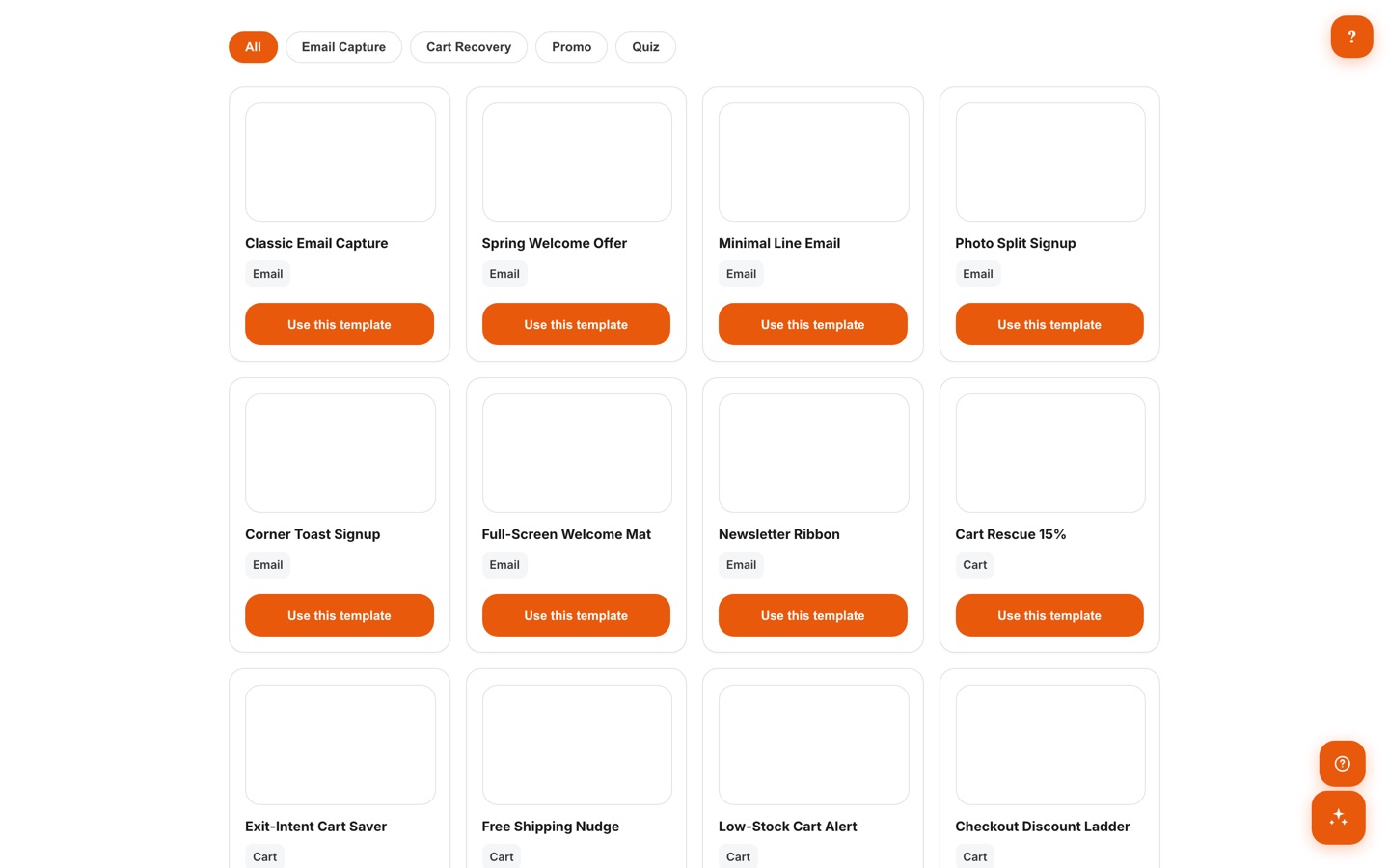
Template gallery with goal filter chips and cards for email capture, cart recovery, and promo popup templates

05 · /app/subscribers

Subscriber Management

Every capture lands in a searchable list with its source campaign, opt-in date, and ESP sync status. Export any segment to CSV, and honor privacy requests with per-subscriber GDPR export and delete built in.
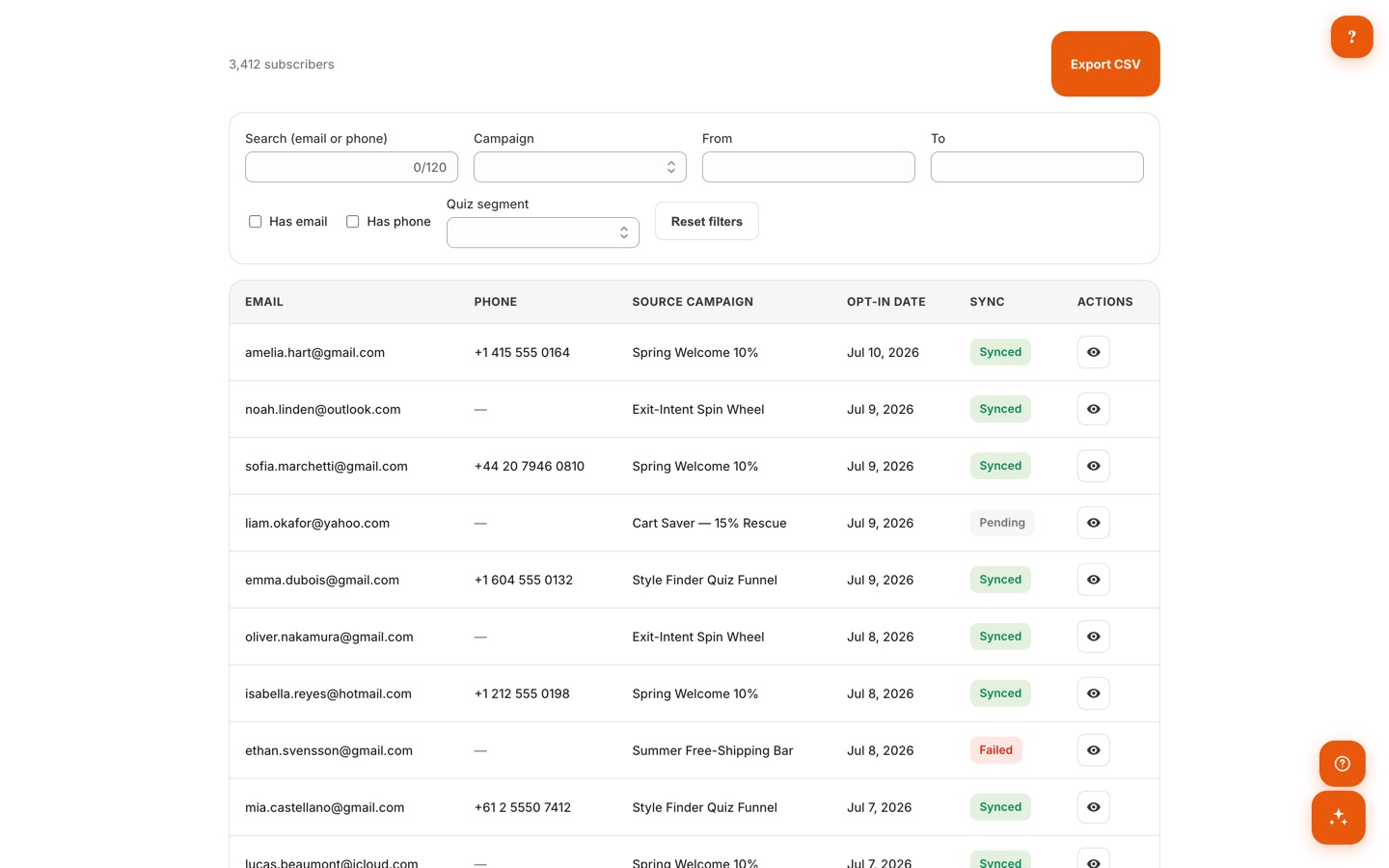
Subscriber list with email, phone, source campaign, opt-in date, ESP sync status, filters, and a CSV export button

06 · /app/schedule

Scheduling + Seasonal Themes

Plan campaigns on a visual calendar with start and end dates, and let seasonal theme overlays swap your popup's look automatically for holidays — a Halloween wheel in October, back to brand colors in November. No midnight publishing required.
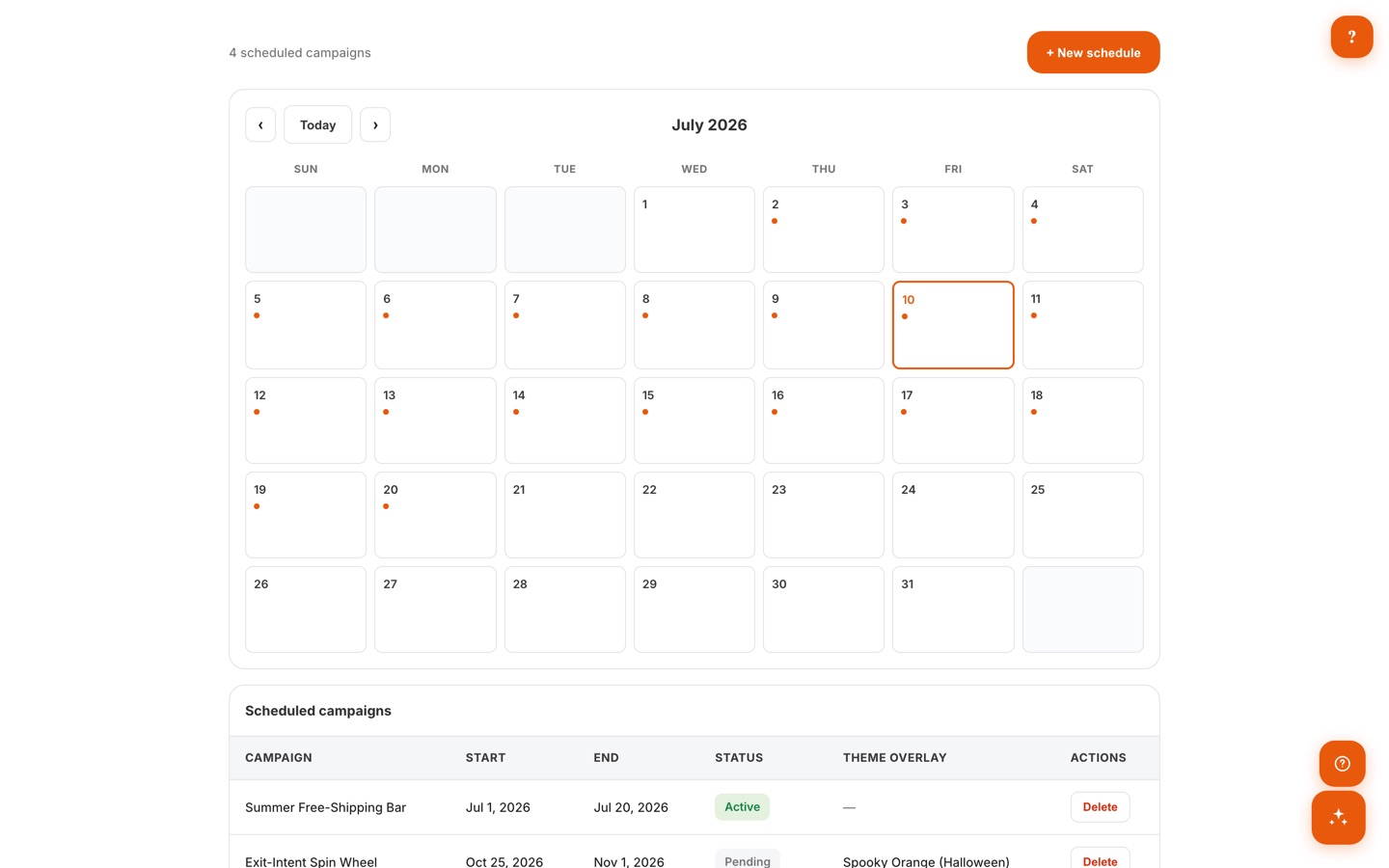
Schedule page with a monthly calendar of campaigns and a scheduled campaigns table including a Halloween theme overlay

07 · Getting Started

Guided Setup

A built-in getting-started guide walks you through enabling popups in your theme, building campaigns, Brand-Friendly Mode, and the AI features — four steps to your first published popup, in minutes rather than days.
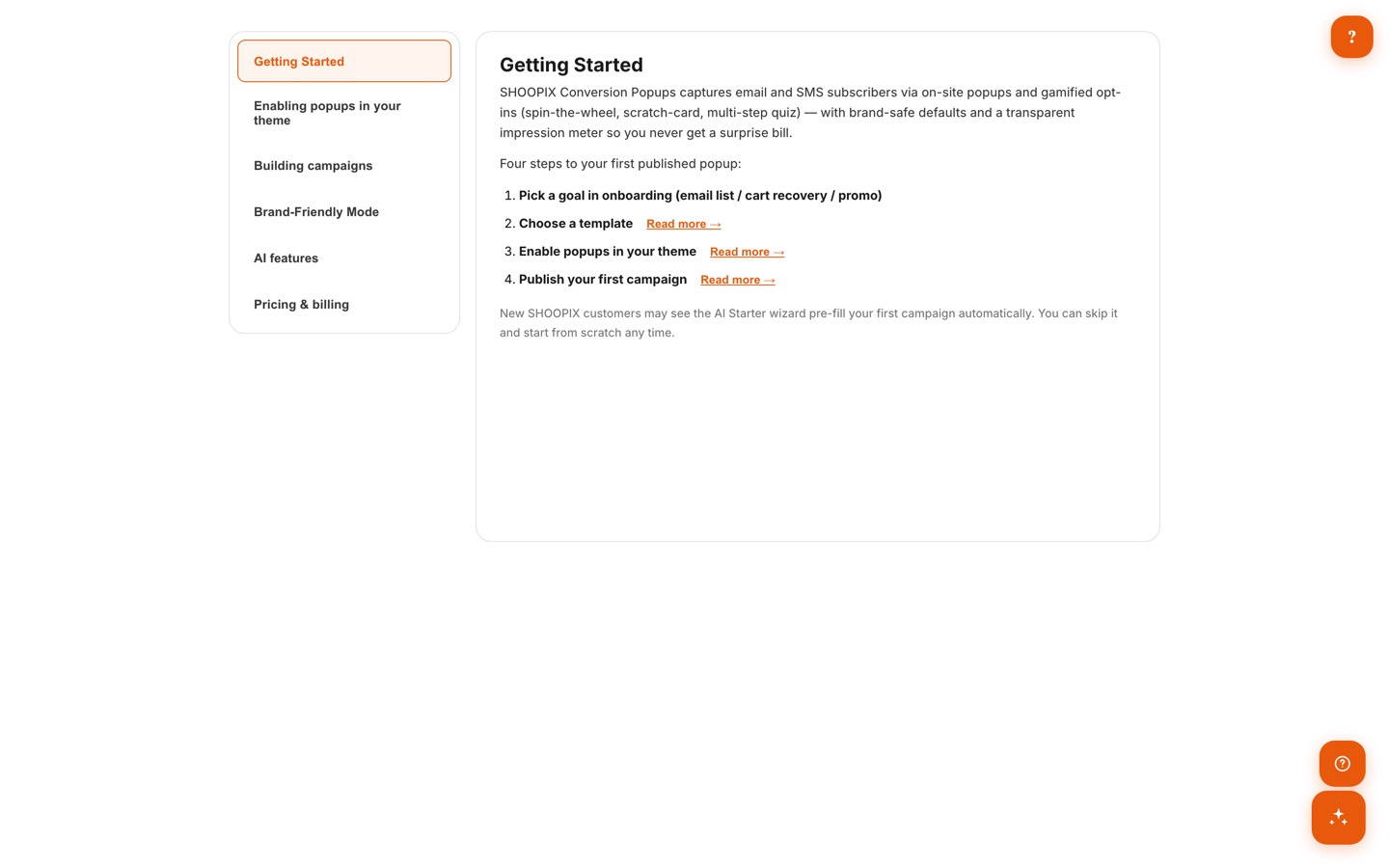
In-app Getting Started guide listing four steps to a first published popup, with sections for theme setup, campaigns, Brand-Friendly Mode, and AI features

Process

How It Works

01

Install & Enable

Add the app and switch on the popup embed in your theme — no code.

02

Pick a Template

Choose a goal and start from one of 25 curated editorial templates.

03

Brand It

Brand-Friendly Mode pulls your theme's color, font, and logo automatically; the AI Companion drafts headline and CTA copy.

04

Publish

Smart timing defaults show your popup at the right moment — not the instant the page loads.

05

Grow Your List

Watch opt-ins roll in and sync subscribers to your email platform.

Pricing

Simple, Transparent Pricing

Free

$0 /mo
  • All 4 popup types (email, spin wheel, scratch card, quiz)
  • Brand-Friendly Mode smart defaults
  • Editor with live mobile-first preview
  • Transparent impression meter
  • “Powered by SHOOPIX” badge on popups

2,000 impressions/mo • 1 campaign • 100 subscribers/mo

Best Value

Pro

7-day trial
$14.99 /mo
  • Everything in Free, badge removed
  • Full template gallery + targeting rules
  • ESP integrations (Shopify Email, Klaviyo, Mailchimp, Omnisend)
  • Inline & embedded forms
  • AI Companion + AI chat

50,000 impressions/mo • Unlimited campaigns & subscribers

Max

7-day trial
$39.99 /mo
  • Everything in Pro
  • Combined AND/OR trigger builder
  • Scheduling + seasonal auto-swap
  • Multi-language content + custom webhooks
  • Priority support

250,000 impressions/mo • Unlimited campaigns & subscribers

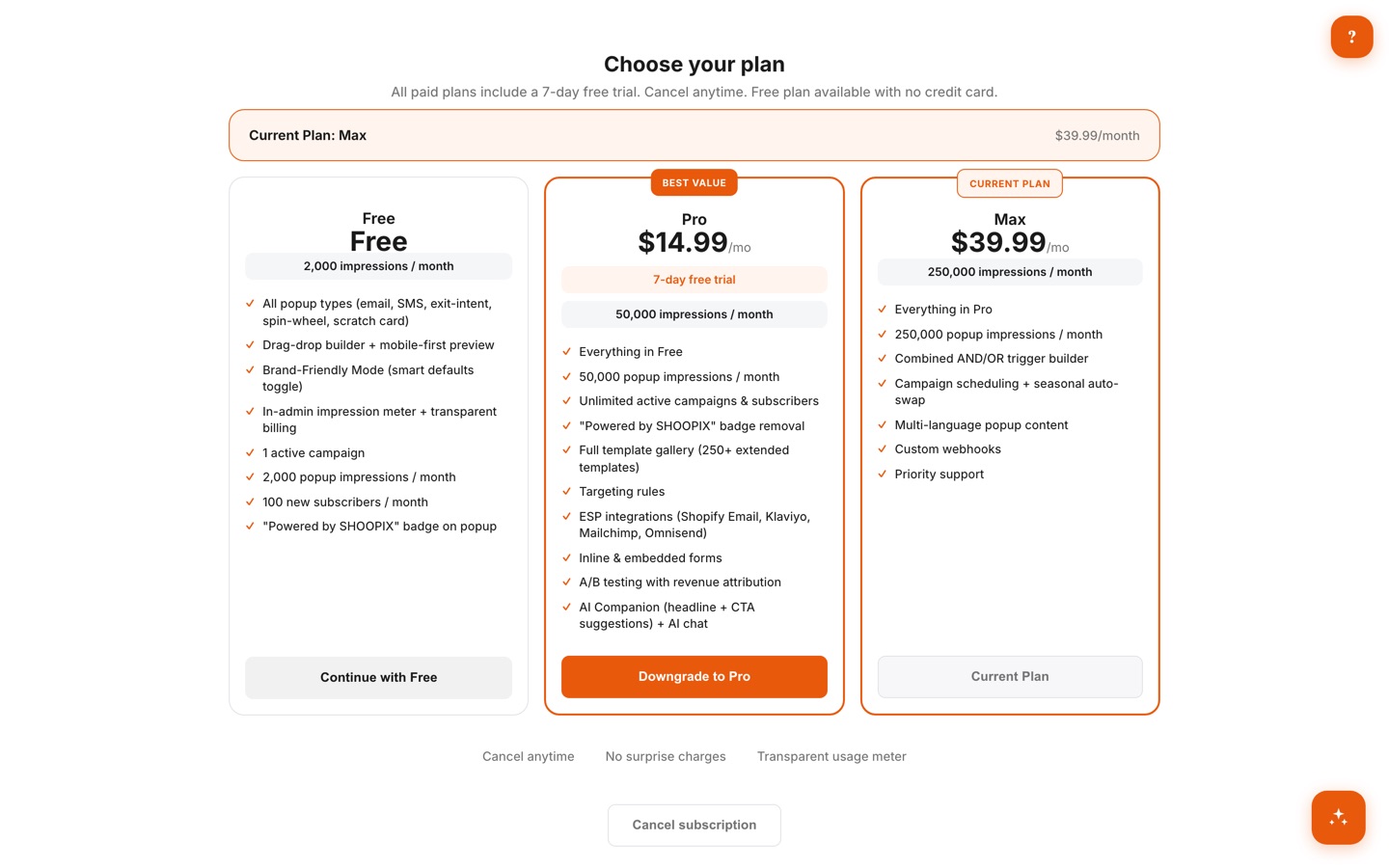
In-app Choose Your Plan page showing Free, Pro $14.99/mo, and Max $39.99/mo tiers with a 7-day free trial

The exact plans inside the app — what you see is what you pay.

Comparison

How We Compare

Feature SHOOPIX Privy
scales w/ contacts
Justuno
scales w/ traffic
Wheelio
$14.92+
Free plan Limited
Display pauses at cap — no overage bills (tier upgrades) (tier upgrades)
Spin wheel + scratch card Spin only Spin only
Auto brand styling from your theme
AI copy assistance + chat Limited
Seasonal auto-swap themes
Combined AND/OR trigger builder

FAQ

Frequently Asked Questions

Most popup apps bill by traffic or contacts, so your bill grows with your store — and hitting a limit can mean surprise overage charges. SHOOPIX shows a transparent impression meter and simply pauses display at your cap. Brand-Friendly Mode is on by default, and Pro costs a flat $14.99/mo with a free plan to start.

Popup display pauses until your quota resets — you're never billed for overage. A color-coded impression meter on the dashboard shows exactly where you stand all month, and you can upgrade anytime for a higher cap.

Four types on every plan, including Free: email capture, multi-step quiz, spin wheel, and animated scratch card. SMS capture is available via a phone field, and exit-intent works through display triggers.

That's exactly what Brand-Friendly Mode prevents. It's on by default with smart timing and frequency caps, and it auto-pulls your theme's color, font, and logo so popups look like your store — not a flashing banner ad.

Yes. Pro connects Shopify Email, Klaviyo, Mailchimp, and Omnisend, with sync status shown per subscriber. Max adds custom webhooks and multi-language content. You can also export any list to CSV, and per-subscriber GDPR export/delete is built in.

Paid plans include a 7-day free trial with full access to the plan's features, and you can cancel anytime. The Free plan needs no credit card at all.

Get Notified at Launch

Be the first to know when SHOOPIX Conversion Popups is available. Join the waitlist for early access.